You can change this anytime in your Profile settings
WHAT WE DO
CORE FEATURES
IDENTIFY ANYTHING
Point your camera at any part, tool, or material. AI identifies it instantly and tells you exactly what it is.
FIND IT ANYWHERE
Once identified, hit Find to search across Amazon, Home Depot, Lowe's and more — all at once.
MEASURE & ESTIMATE
Get dimensional estimates from photos. AI outlines objects and provides measurements from a single image.
VOICE COMMANDS
Hands full on the job? Just talk. Say 'take a picture' or 'what is this' and Done Right handles the rest.
ASK ANYTHING
Code questions, material specs, how-to guides — get expert-level answers in plain language, no BS.
INSTANT ANSWERS
No waiting. No searching. No wasted time. Get the answer you need and get back to work.
DRONE INSPECTION
NO CLIMBING. EVER.
Mount a GoPro on your drone. Connect via Bluetooth. Fire the shutter from the ground. AI analyzes every photo and generates a full inspection report — no ladder, no risk.
DRONE MOUNT
Attach any GoPro Hero 9–13 to your drone. No special hardware needed.
BLE CONTROL
Connect via Bluetooth from up to 30ft. Fire the shutter without touching the drone.
AI ANALYSIS
Every photo gets analyzed instantly. Risk levels, findings, recommendations — all automatic.
FULL REPORT
Professional inspection report generated in seconds. Share with clients on the spot.
GET THE APP
INSTALL DONE RIGHT
Add it to your phone home screen. Works like a native app — no app store required.
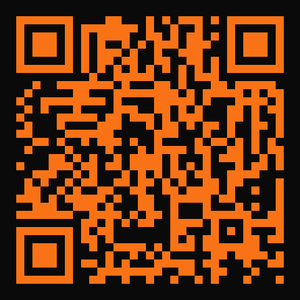
Scan with your phone camera
Android / Chrome
Tap below — Chrome will prompt you to install directly to your home screen.
iPhone / Safari
- 1.Open geterdonerightnow.com in Safari
- 2.Tap the Share button ⬆ at the bottom
- 3.Tap "Add to Home Screen"
- 4.Tap Add — done